Cute printable calendar – write your plans, then print
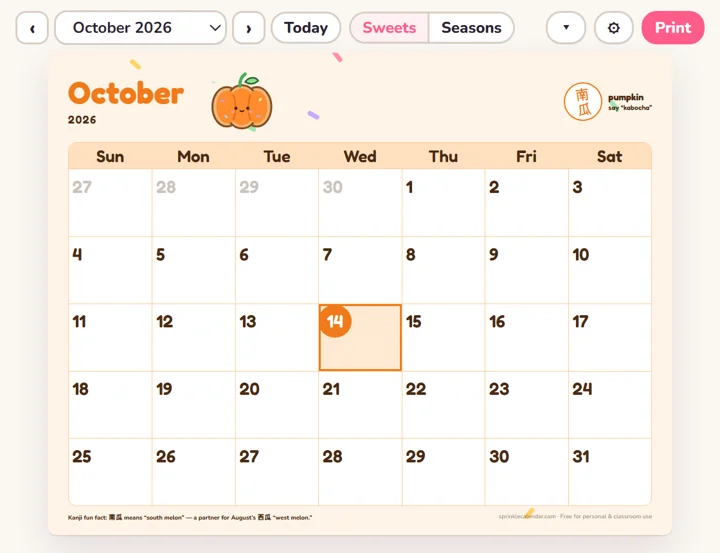
Choose a month and a design, click any day to add your plans, and print it or save it as a PDF. Free, no sign-up, and your notes stay on your device. Want it on your desktop? Install the free app →
Tip: click a day to write on it. To save a PDF, choose “Save as PDF” in the print window.
Swipe sideways to see the whole month →
Free app · Windows · Mac · Chromebook
Keep a cute calendar in the corner of your screen
Install Sprinkle Calendar as a tiny app. It opens in its own little window, so today is always one glance away while you work.
- Today at a glance – today’s date is circled for you
- Coming up – your next plans, holidays and countdowns
- Works offline – no account, nothing to sign up for
How to install
- Chrome or Edge (computer): click Install app at the top of this page, or the install icon in the address bar.
- Drag the new window to a corner and resize it – the calendar shrinks to fit.
- iPhone / iPad (Safari): tap Share → Add to Home Screen.
Write on it
Click any day and type. Birthdays, practice, dentist – it all prints right on your calendar.
A new treat every month
Each month has its own sweet (or seasonal) design, sprinkled with rainbow sprinkles.
Kanji Sprinkle
A tiny Japanese kanji stamp that matches the picture, with its meaning and a fun fact. Turn it off anytime.
Private by design
No account. Your notes are saved only in this browser on this device.